

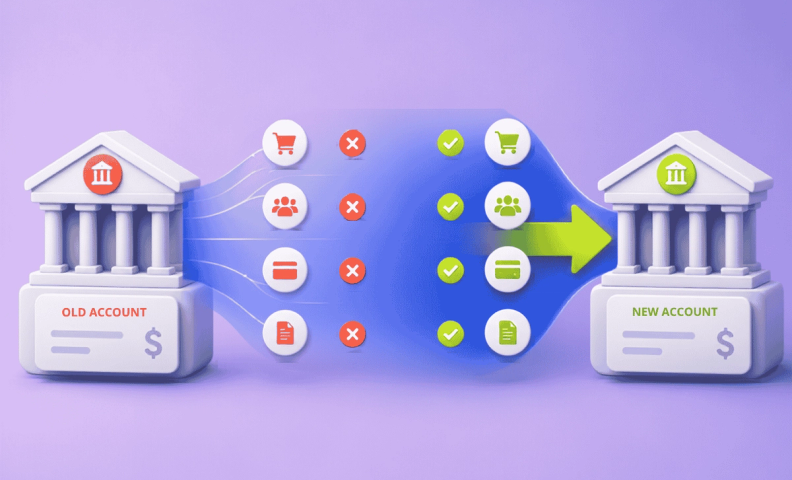
Businesses switch bank accounts for all kinds of reasons: outgrowing a bank that can't keep up with their volume, chasing a better portal or better rates, consolidating relationships as they scale, or reacting to a bank stability concern. Whatever the reason, here's a checklist of steps to make sure you don't miss anything along the way. If you're also reconsidering your setup more broadly, how many bank accounts should a business have is worth a read too.
LedgerGurus' expertise is ecommerce accounting, so you'll see reference to applications that are most relevant to ecommerce businesses. That said, this article is applicable to most businesses.
Step 1: New business bank account considerations
It is tempting to move quickly when there is a bank crisis. Make sure to consider key points when switching business bank accounts:
- Bank stability: Check the news to see if there are concerns with the bank you are looking to use.
- FDIC insurance: Are the bank accounts FDIC insured? Do they have products that enable insurance above the FDIC $250,000 insurance limit? See maximizing the FDIC insurance limit for ways to extend that coverage further.
- Fees: What fees come with the bank accounts you are considering? Are there requirements like minimum balances that trigger fees?
- Customer service: What is their reputation for customer service?
- Bank portal: Do they have a good online bank portal? Can you have multiple users with different access levels. We’ve worked with dozens of banks and most of their online portals are mediocre at best. Only a few have great portals.
- Integrations: Do they integrate with accounting software? Usually, you can check this by trying to connect to that bank from your accounting software or ask your accountant who can check.
- Mobile app: Does that bank have a mobile app? What can you do with it?
- Physical branches: Do you want to be able to go into a physical branch, and where are they located?
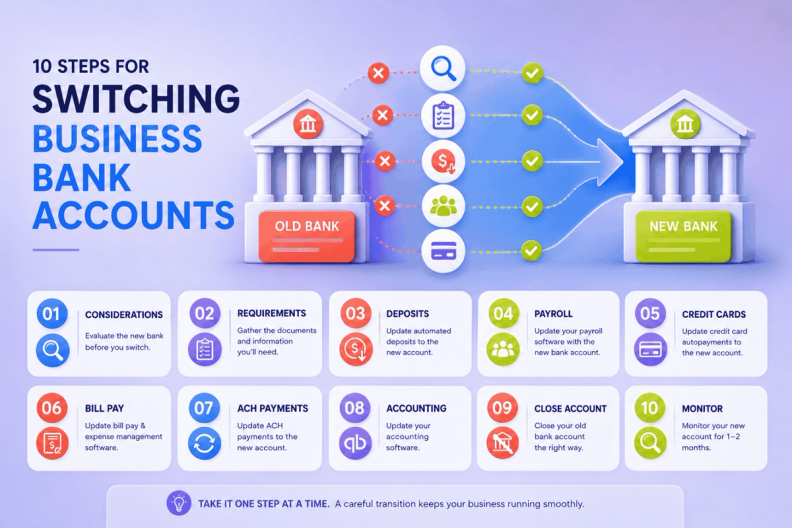
Step 2: New business bank account requirements
When opening business accounts at a new bank, you may need one or more of the following documents and information:
- Identification for all signers (often they need to be present)
- Articles of incorporation
- Business license
- Certificate of incorporation
- Certificate of formation
- EIN
- Partnership agreement
Many banks will want you to be physically present to do this. Some modern banks will allow you to do everything online. You also need to be prepared to make an initial deposit of funds to get accounts started.
Here are some links for new business bank account setup requirements for some of the largest banks:
Of the big banks, LedgerGurus recommends Chase and Wells Fargo. In summary, they have the best bank portals and integrations with accounting and financial software.
Step 3: Update automated deposits to the new bank account
The next step in switching business bank accounts once the new account is open is to get all the automated deposits to go to the new business bank account(s). Here are some things to consider:
- Ecommerce channels
- Buy Now Pay Later
- Merchant Service Accounts / Payment Gateway
This list can be much longer with the endless list of payment gateways in particular, so search for how to change your merchant deposit account for the specific provider to find the steps.
Step 4: Update payroll software
Most payroll providers allow a business bank account to be connected for automated withdrawal when your run payroll.
There are many other payroll providers, so search for how to change your company bank account in their help sections.
Step 5: Update credit card autopayments
If you have a bank account connected to your credit card for auto-payment, you will need to update it after switching business bank accounts. Here are some common business credit cards and how to switch the bank used to pay them:
Step 6: Update bill pay and expense management software
Online payment tools will also need to be updated after switching business bank accounts. Here is a list of these tools and how to change the bank account used to fund payments:
Be sure to remove old bank accounts after adding new ones.
Step 7: Update ACH payments
Some software and vendors set up ACH payments which allows them to take payment automatically from your bank account. These can be difficult to track down, so look through your bank statements or transactions for anything that is a withdrawal from another business.
Once identified, connect with that business vendor to update your ACH information. There is a good chance they will connect with you if they try to pull a payment from the old account and it fails.
Step 8: Update accounting software
Don’t delay this step or your accounting will be inaccurate. There are a few key steps in any accounting software for a new bank account:
- Create the bank account in the chart of accounts.
- Connect the bank account to the accounting software for automatic downloading of transactions.
- If you had any automation rules, apply those to the new account.
Now’s a great time to make sure that your chart of accounts matches the needs of your business. For those in ecommerce, we have an ecommerce chart of accounts template you can follow.
Step 9: Close your old dank account
Don’t close your old bank account too quickly. You will want to make sure to:
- Download all existing bank statements.
- Transfer all remaining funds.
- Download the final statement. Statements usually end at the end of the calendar month. You’ll have the new statement on the 1st day or first week of the following month.
- Close the account with the bank. Often the account will close automatically when you transfer all funds. Otherwise, communicate with the bank and indicate you are closing your account with them and make sure to get the final statement before you lose access to the bank portal. This statement is important to verify where the money went.
Step 10: Monitor your new bank account
Make sure all the connections you made to the new bank account are working and that funds are depositing and withdrawing as expected. Keep a close eye for at least 1 to 2 months.
Frequently asked questions
What should I look for when choosing a new business bank?
Stability, FDIC insurance (including products that extend coverage beyond the $250,000 limit), fees, customer service, portal quality, integrations with your accounting software, a mobile app, and physical branch access if that matters to you. Of the big banks, Chase and Wells Fargo tend to have the best portals and accounting integrations.
What documents do I need to open a new business bank account?
Identification for all signers, articles of incorporation, a business license, a certificate of incorporation or formation, your EIN, and a partnership agreement if applicable. Requirements vary by bank and entity type, so it's worth checking the specific bank's documentation ahead of time, and you'll also need to be ready to make an initial deposit.
What's the biggest risk of switching bank accounts too quickly?
Missing a connected system and having a payment fail. Automated deposits, payroll, credit card autopayments, bill pay software, and ACH payments all need to be updated individually, so working through them one by one and confirming each connection is what prevents something from slipping through the cracks.
Should I close my old bank account right away?
No. Download all existing statements, transfer every remaining fund, and get the final statement, which usually posts at the start of the following month, before you close the account or lose access to the portal. That final statement is your record of exactly where the money went.
How long should I monitor the new account after switching?
At least 1 to 2 months. That's enough time to confirm every connection you updated, deposits, payroll, autopayments, and ACH withdrawals, is actually working as expected before you consider the transition complete.
Let's make this switch seamless for you
Changing banks is a pain, which is exactly why so many businesses put it off. But a bank switch only goes wrong when something falls through the cracks: a missed ACH payment, a payroll withdrawal that bounces, an accounting connection nobody re-linked.
