

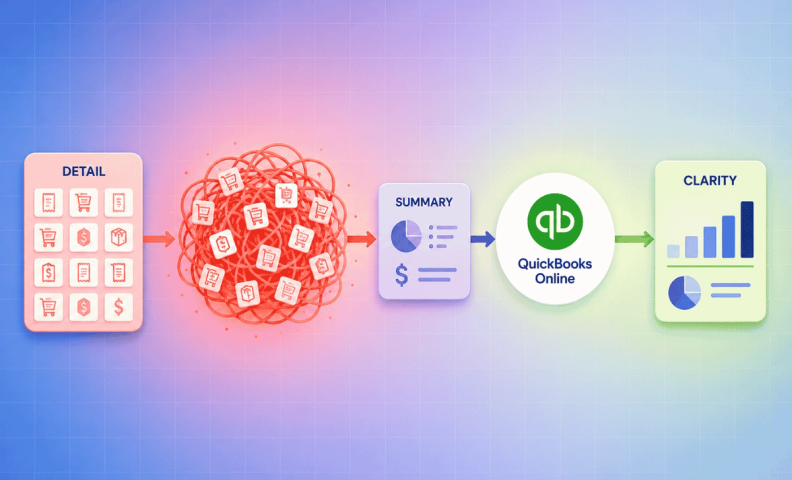
Hundreds of apps now offer direct integrations with QuickBooks Online (QBO). This large ecosystem is one of the most compelling reasons to choose QBO as your accounting platform (see when you should use QBO vs. QuickBooks Desktop). But integrations can be a genuine time-saver or a real headache, depending entirely on how you use them.
Integrating another app with QBO can save time and put valuable information in one place. It can also pull in far more data than you need, leaving you with a mess to untangle. The decision to integrate should be a deliberate one, not a default.
What Is QuickBooks Online actually for?
Before deciding whether to integrate an app, it's worth reconsidering what QBO is actually for. With so many specialized apps available, your accounting system doesn't need to track every order, every shipment, or every inventory movement. Other tools are built to do that better. QBO's job is to be the hub where the full financial picture comes together and show you how your company is performing overall.
Our rule at LedgerGurus: if detailed information already exists outside of QBO, there needs to be a compelling reason to duplicate that detail inside it. If you can see order-level detail in Shopify already, pulling that same detail into QBO just invites discrepancies you'll have to investigate. You can run better reports directly in Shopify and bring over a clean summary instead, giving you everything you need to evaluate how that channel is affecting your overall performance.
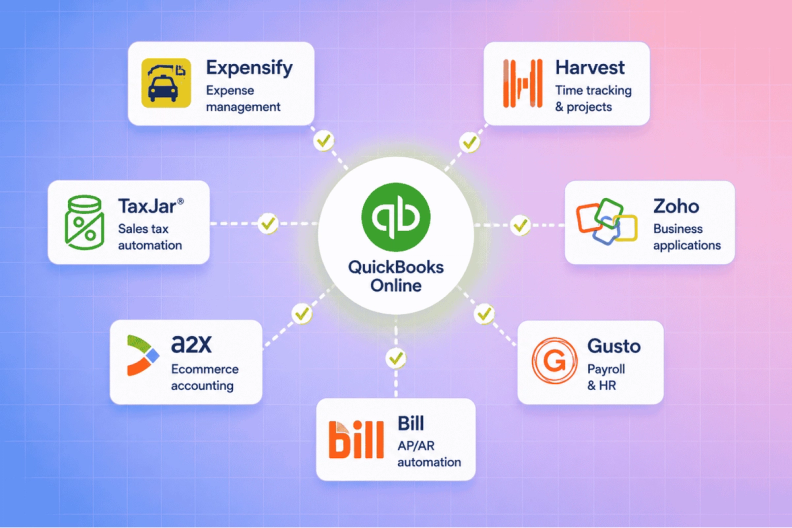
When should you use an integration?
Don't get integration-happy and sync every app you download. Slow down, get familiar with the app first, and understand what data it actually offers. Then ask whether integrating would genuinely save you time and hassle, not just add a connection because it's available.
We use the following decision tree to work through that question:
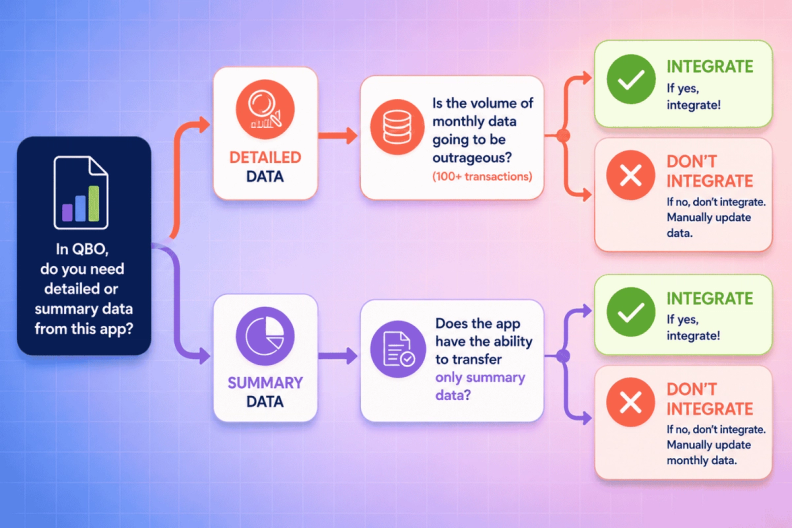
Do you need detailed data or summary data in QuickBooks Online?
The first questions with any integration:
- Do you need the detailed data inside QBO, or would a summary serve just as well?
- Is the detail actually valuable there, or just extra noise?
Two scenarios show the difference.
Detail isn't needed, summary is enough
An inventory management tool tracks the value of every SKU and the COGS tied to each sale, and does that job well. If you need to check the cost of a specific order, you can look it up right in the inventory app. Integrating that same detail into QBO means the same data lives in two places, and you'll be constantly validating one against the other.
The same app can also just run a summary COGS report for the month. At the level you actually care about (total COGS against total revenue and expenses), nothing is lost by staying at summary level, and a real mess is avoided.
Detail is needed, summary isn't enough
An app handling accounts payable or receivable (Bill.com, Settle, Veem) is different. Open bills and open invoices at period-end are accrual adjustments that need to hit your financials, and skipping the integration just means more manual work at month-end. In QBO, payments made and received through these tools also get reconciled against your bank and credit card transactions, which makes your job easier, not harder. Here, a good integration should be used. Even then, if volume is high enough, summarizing at month-end alongside the detail is still worth doing.
When summary-data integrations are worth it
If you only need summary data in QBO, check whether the app can actually deliver just that, some can, some can't, and forcing detail out of an app that only does detail defeats the purpose.
Our favorite example: A2X. Instead of transferring every Amazon transaction individually, A2X summarizes activity into the right accounts in QBO and ties it directly to what actually hits your bank account. It's a genuinely time-saving integration.
Some inventory apps, like Cin7, let you choose a summary journal entry instead of transaction-level detail. Some sales tax tools post liability in summary form too. For any app where summary is all you need, it's worth checking whether that's actually an option before integrating at all.
One more reason integration might still make sense
Sometimes the deciding factor isn't detail versus summary at all. A construction company using a job costing tool, for example, may need job-related cost data available to project managers who shouldn't have full QBO access. That means the same detailed data needs to live in two systems regardless.
In cases like this, integrating is worth it even with the tradeoffs discussed above, because the alternative is double-entering everything by hand. The benefit outweighs the hassle.
Signs you've integrated too much
A few signs your QBO setup has more integrations pulling detail than it should:
- Reconciliation is taking longer each month, not less, since the integration launched.
- You're regularly digging through discrepancies between QBO and the source app instead of trusting either one.
- Your reports feel cluttered with line-item detail you never actually reference.
- You've stopped checking the source app entirely because "QBO has it too," even though QBO's version isn't quite right.
If any of that sounds familiar, it may be worth reversing an integration rather than layering on a fix.
Frequently asked questions
How do I know if I need detailed data or summary data in QuickBooks Online?
Ask whether the detail changes any decision you actually make. If you can already see order-level or SKU-level detail in the source app when you need it, a summary in QBO is usually enough, and it avoids the ongoing work of reconciling duplicate detail between two systems.
What's a good example of an integration that only brings in summary data?
A2X for Amazon sellers is our favorite. It summarizes sales channel activity into the right QBO accounts and ties it out to your actual bank deposits, without dumping every individual transaction into your books.
When does it make sense to integrate detailed data into QBO?
When that detail needs to be reconciled against your bank and credit card activity, like accounts payable and receivable, or when the same detail genuinely needs to exist in two systems for different users, like job costing data shared with project managers who shouldn't have full QBO access.
What are the signs an integration has created more work than it saves?
Reconciliation that's getting longer instead of shorter, frequent discrepancies between QBO and the source app, cluttered reports full of detail you never reference, or realizing you've stopped trusting either system on its own.
Should I integrate every app I use with QuickBooks Online?
No. Treat every integration as a deliberate decision, not a default. The real question is always whether it saves genuine time and reduces real work, not just whether the option exists.
Get help choosing the right integrations
Every ecommerce tech stack is different, and the right QBO setup depends entirely on which apps you're running and what you actually need to see in your books. Rather than testing this app by app on your own, let our team map out the right integrations for your business from the start.
